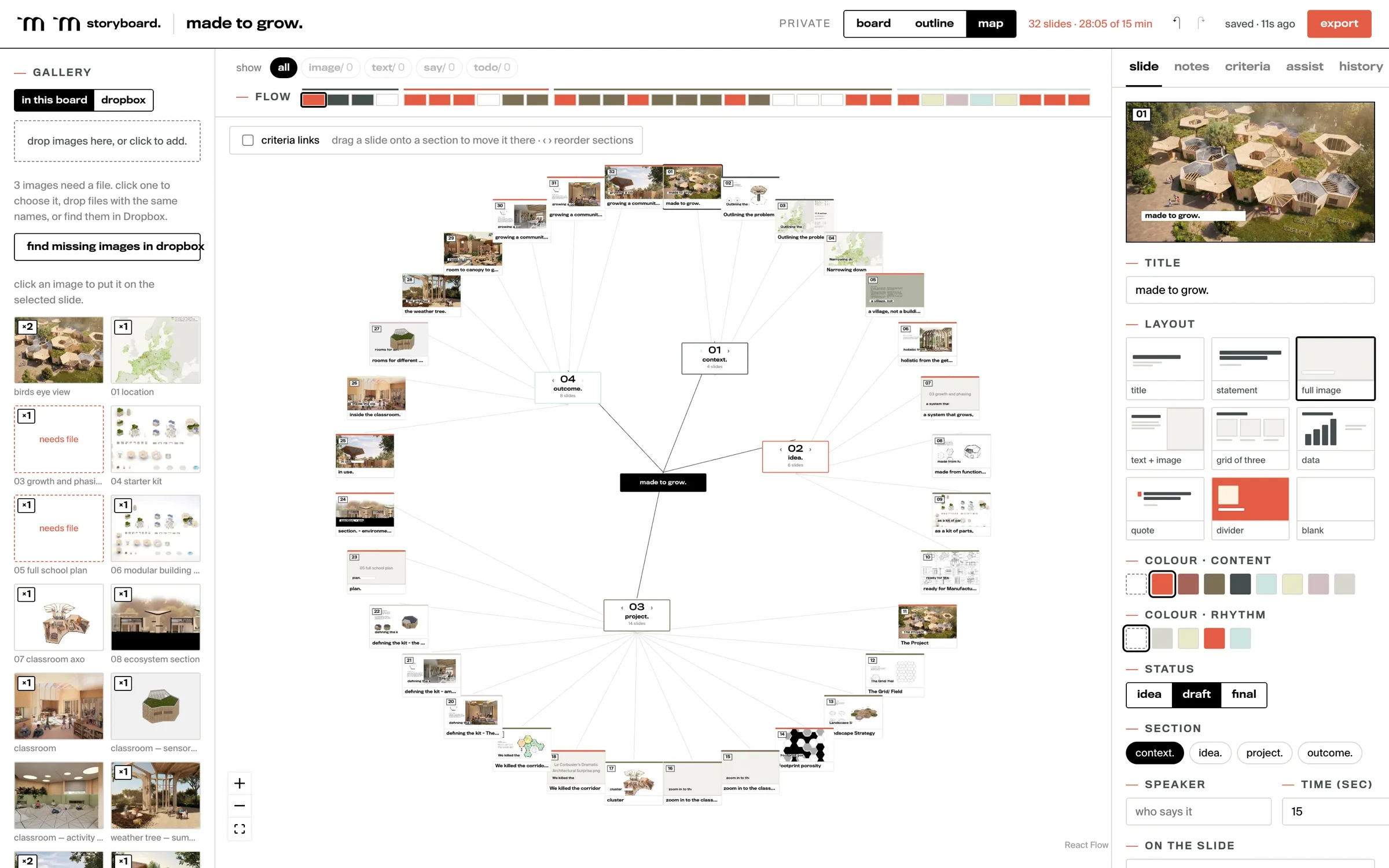
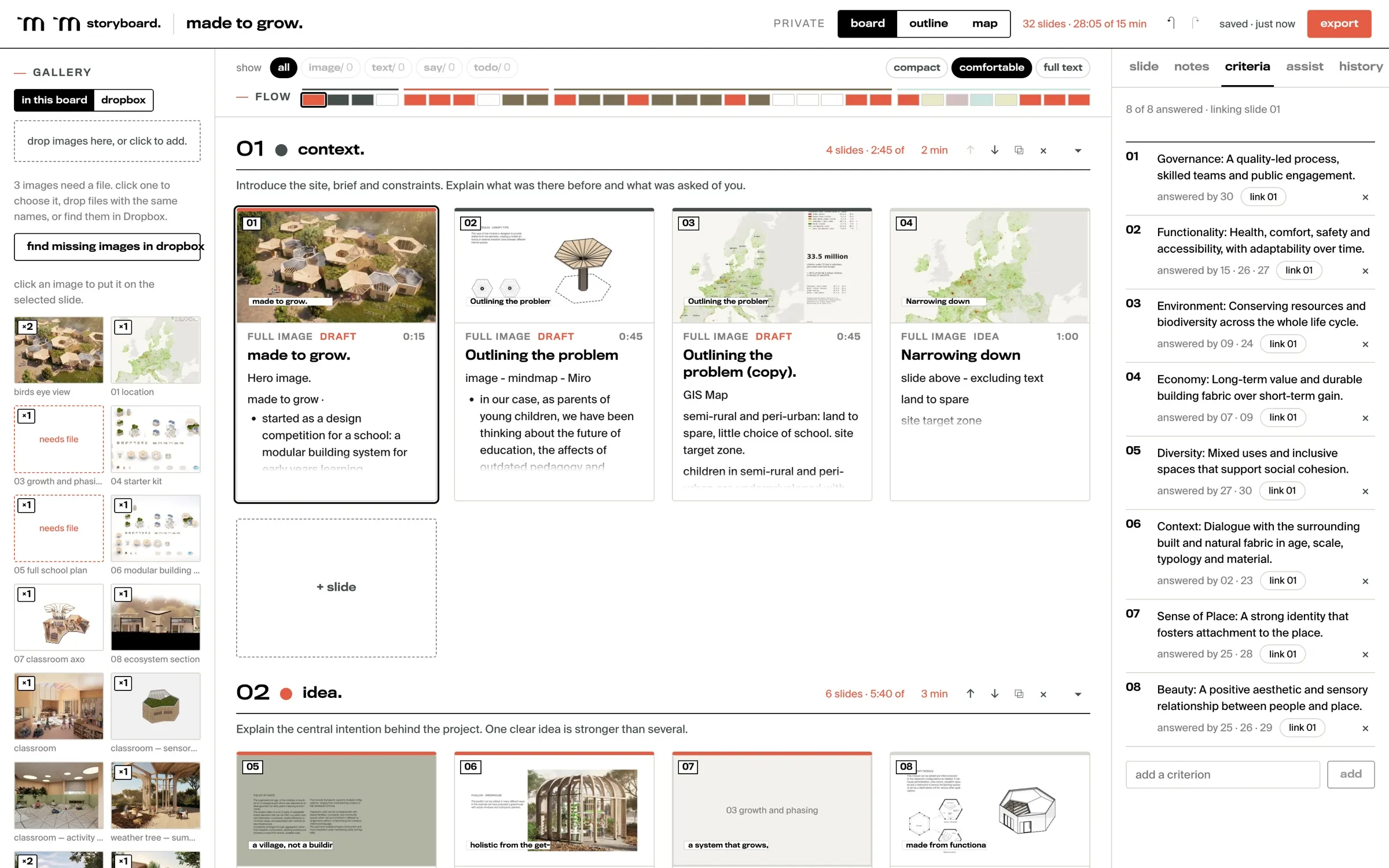
Planning a talk before anyone designs a slide: the order, the argument, the timing, and the jury’s criteria linked to the slides that answer them.
what it is.
Storyboard is how we plan a presentation before it’s designed: the order, the argument, the rhythm, and what each slide is for. The thinking comes first and the look comes later.
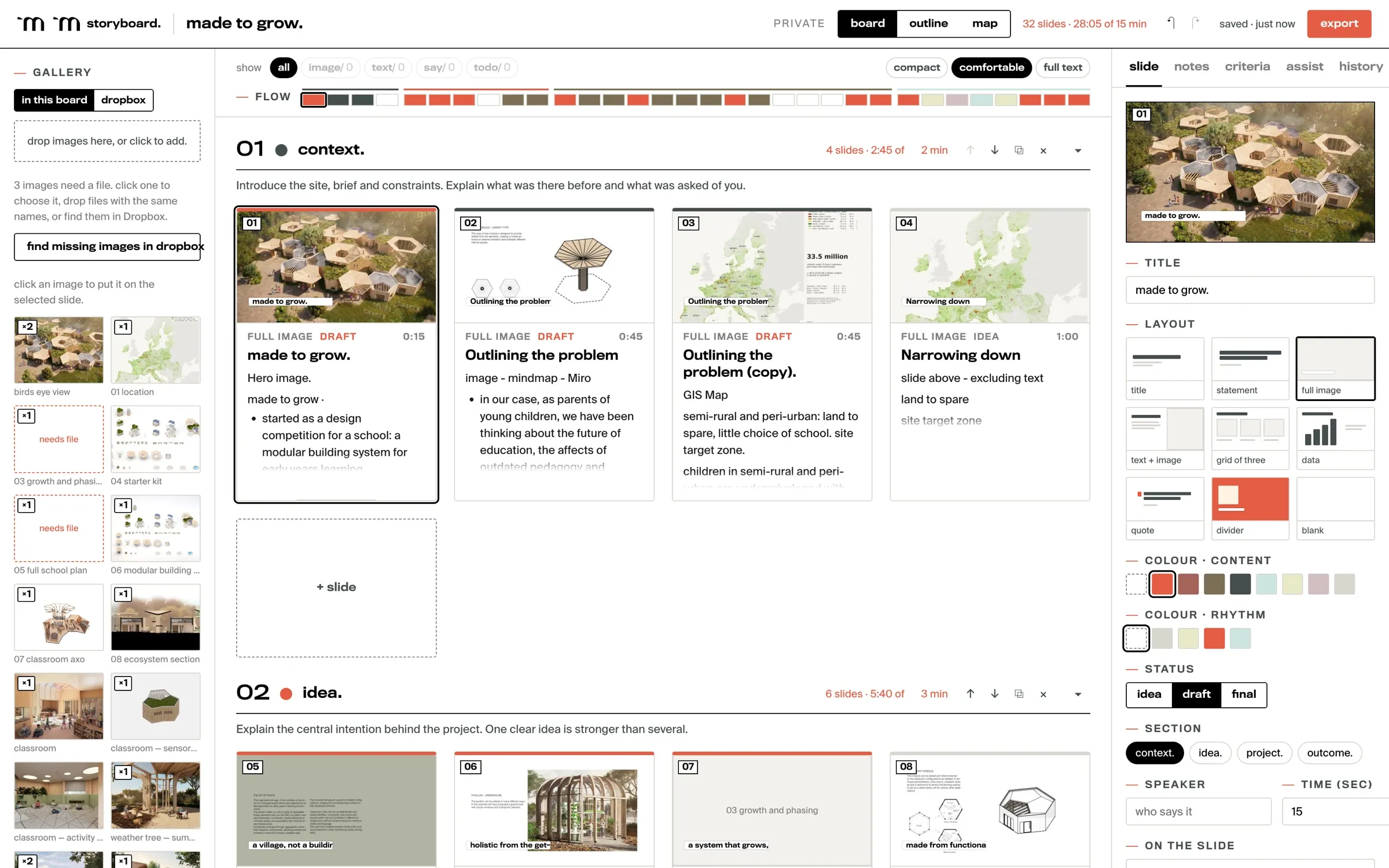
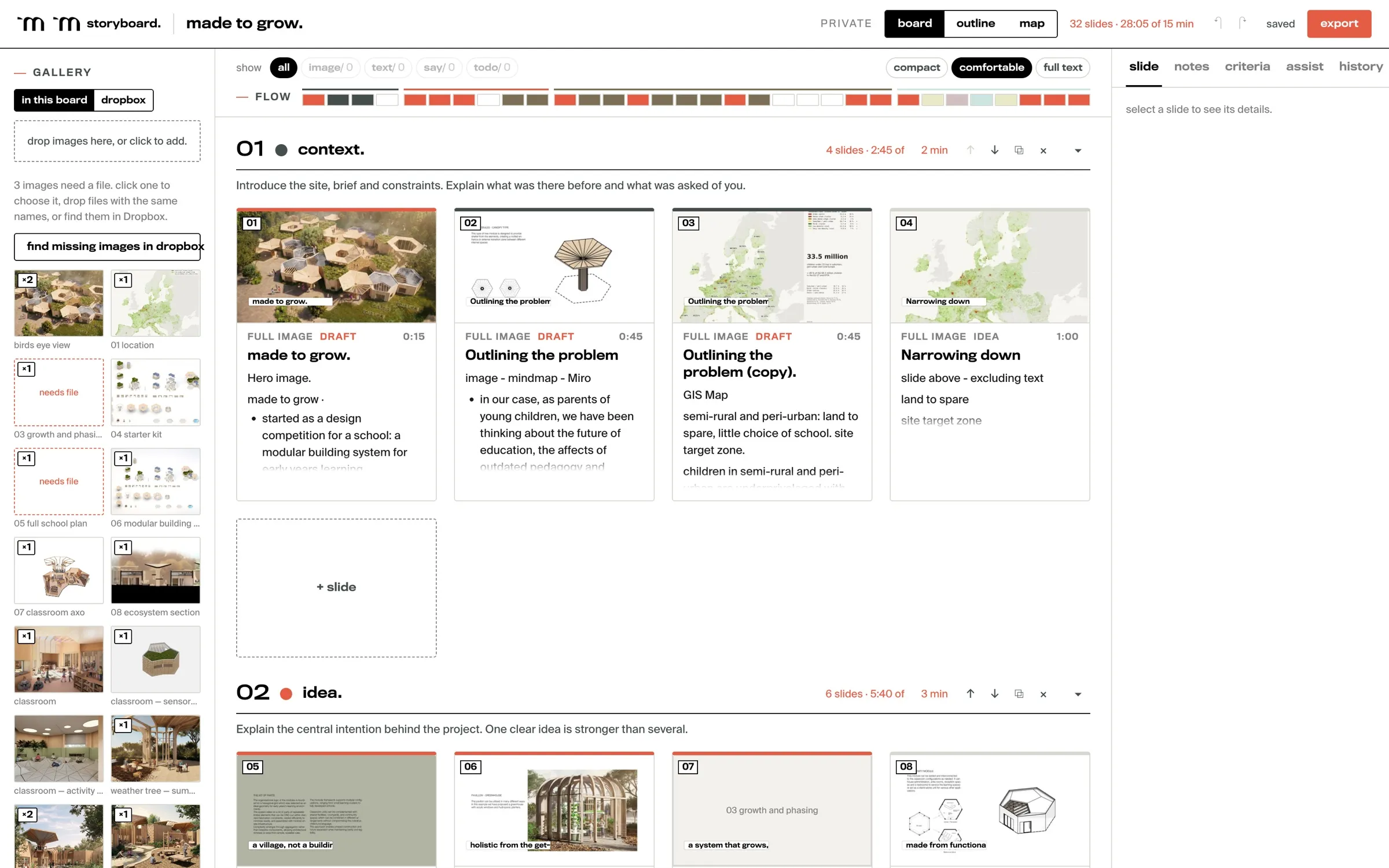
A storyboard is a set of sections — context, idea, project, outcome — each holding slide cards. A card holds a title, the lines that go on screen, what the speaker says, the images still to find, and why the slide is there. If a slide can’t say why it’s there, it probably shouldn’t be.
where we use it.
Competition juries and client presentations: any talk where someone has written down what they’re looking for. The screens on this page come from a showcase copy of our Made to Grow jury presentation.
A storyboard can be private, or shared with the team, and changes show up for everyone within a few seconds. Images come from the studio’s project folders or are dropped onto a card, and they’re copied in, so a moved file never breaks a board. Every change is saved straight away, it keeps working offline, and any earlier version can be restored.
what it doesn’t do.
- It doesn’t design the slides. It hands over a skeleton, and the design happens after.
- One person edits at a time.
- Assist never changes the board by itself, and any image it makes is labelled as generated. It’s capped at sixty requests an hour per person.
- It isn’t public. Only the studio can sign in.
what’s next.
Storyboard is registered with Matter Make ID, the one sign-in we’re building for all our tools (17 October 2026). The tool’s own side of the switch is still to do.
storyboard, up close.